Overview
Key Features
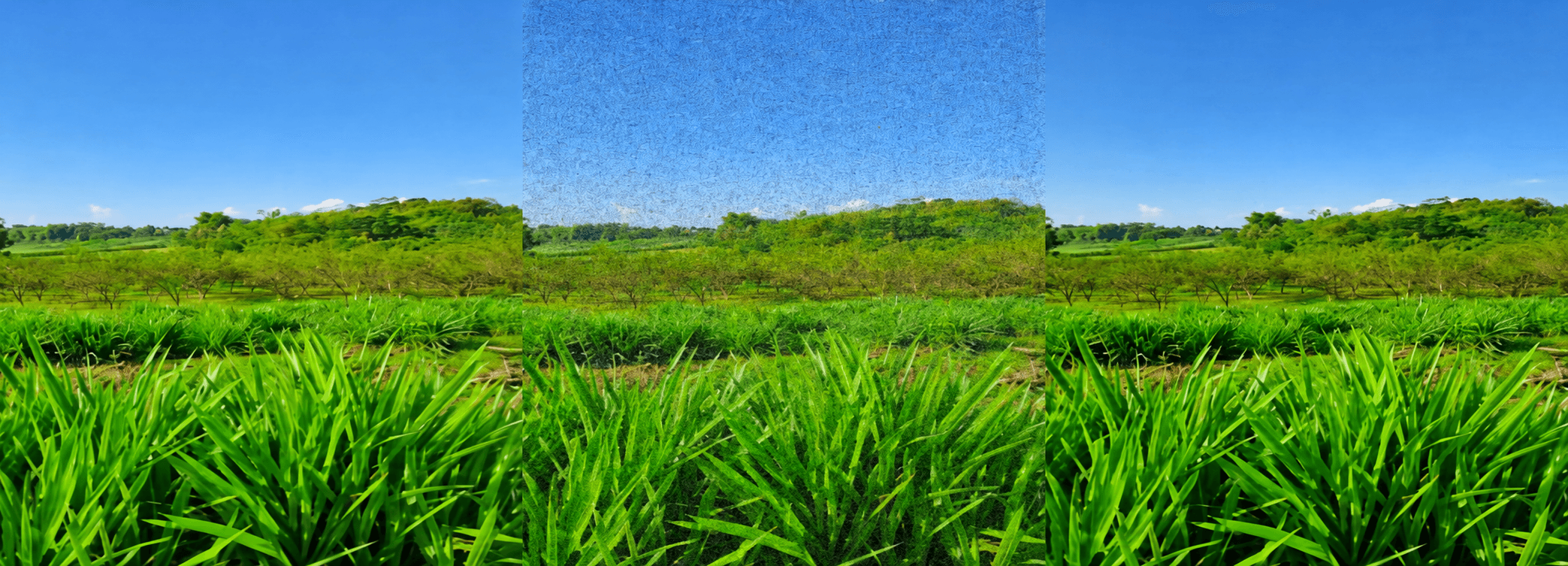
- Salt-and-Pepper Noise Simulation: Adds configurable Salt-and-Pepper noise to color images by randomly setting pixels to 255 (salt) or 0 (pepper) across all RGB channels, simulating real-world image degradation scenarios.
- Median Filter Denoising: Applies OpenCV's medianBlur() with a configurable kernel size to remove Salt-and-Pepper noise while preserving edge details, with higher kernel sizes producing stronger but blurrier smoothing.
- PSNR Quality Evaluation: Calculates Peak Signal-to-Noise Ratio (PSNR) in decibels for both the noisy and filtered images against the original, providing a quantitative metric to evaluate filtering effectiveness — a PSNR above 30 dB indicates high similarity to the original.
- Interactive Image Upload: Uses Google Colab's files.upload() to allow users to upload any image directly in the notebook environment without needing a local setup.
- Result Visualization: Displays the original, noisy, and filtered images side-by-side using Matplotlib subplots, with PSNR values shown in the figure title for immediate comparison.
- Output Export: Saves both the noisy and filtered images as separate files using OpenCV's imwrite() with proper BGR-to-RGB conversion, ensuring correct color output.
Technologies Used
- Python: Core programming language for all image processing logic, numerical computation, and pipeline orchestration.
- OpenCV (cv2): Used for image reading, BGR-to-RGB conversion, median filtering via medianBlur(), and exporting output images via imwrite().
- NumPy: Handles array operations for noise generation, pixel manipulation, and MSE calculation in the PSNR formula.
- Matplotlib: Used to render the three-panel comparison visualization (original, noisy, filtered) with PSNR values as the plot title.
- Google Colab: Cloud-based notebook environment providing the interactive file upload widget and GPU-accessible runtime for development and testing.
Challenges and Learnings
Project Repository
Bash